Templates use the key plot points of familiar story archetypes to give an empty outline direction, with guidance you can reference as you plan and write your draft.
Choose from 7 story archetypes developed into drafting templates:
A transformation arc where a character leaves their familiar world, faces the challenges of the unknown, and returns changed by the journey.
Good for: fantasy, adventure, coming-of-age
Examples: The Hobbit, Star Wars
A classic three-act story structure: setup establishes the characters and central conflict, confrontation builds through escalating complications and turning points, and resolution brings the story to its conclusion.
Good for: literary fiction, mystery, romance
Examples: Pride and Prejudice, The Great Gatsby
A journey built around reaching a specific goal or destination. The character sets out in pursuit of it, encountering allies, obstacles, and setbacks as the journey grows more difficult.
Good for: adventure, fantasy, sci-fi
Examples: The Lord of the Rings, The Da Vinci Code
A struggle against a powerful threat that grows increasingly difficult to escape or defeat. As the danger grows, the character must find the strength or means to face it directly.
Good for: horror, thriller, fantasy, sci-fi
Examples: Dracula, Jurassic Park
A story of growing up or reaching a new stage of maturity. New experiences challenge the character’s existing view of themselves and the world, leading to greater independence and self-understanding.
Good for: coming-of-age, literary fiction, YA, drama
Examples: To Kill a Mockingbird, The Perks of Being a Wallflower
A story of rising from an initially disadvantaged position into success, security, status, or another greatly improved life. The character’s rise brings new challenges that test what they’ve gained and who they’ve become.
Good for: romance, drama, comedy, historical fiction
Examples: Jane Eyre, Great Expectations
A story that follows a character toward an ultimately destructive outcome. Their choices, flaws, and circumstances compound over time, leading toward a loss or downfall that becomes increasingly difficult to avoid.
Good for: literary fiction, drama, historical fiction
Set up the main character’s everyday life before the central conflict begins. Establish the routines, relationships, responsibilities, or problems that shape their current world, along with what they want or need from it. Create a clear starting point so there is something meaningful for the events ahead to change.
1.
2.
3.
Inciting Incident
Introduce an event that interrupts the main character’s normal life and creates a new problem, opportunity, or challenge they can’t easily ignore. Show how it affects their current plans and circumstances. Create a reason for them to act, without requiring them to commit to a larger course of action just yet.
1.
2.
First Turning Point
Move the main character from reacting to the inciting incident to taking a more active role in what happens next. Have them make a decision or take an action that sets them on a new course. Establish a clear goal for them to pursue from this point forward.
1.
2.
3.
Early Obstacles
Put the main character’s new goal to the test by introducing obstacles that make it harder to achieve. Show their first attempts falling short or leading to complications they didn’t anticipate. Use these setbacks to reveal what they’ll need to overcome or change if they want to succeed.
1.
2.
3.
02Placeholders
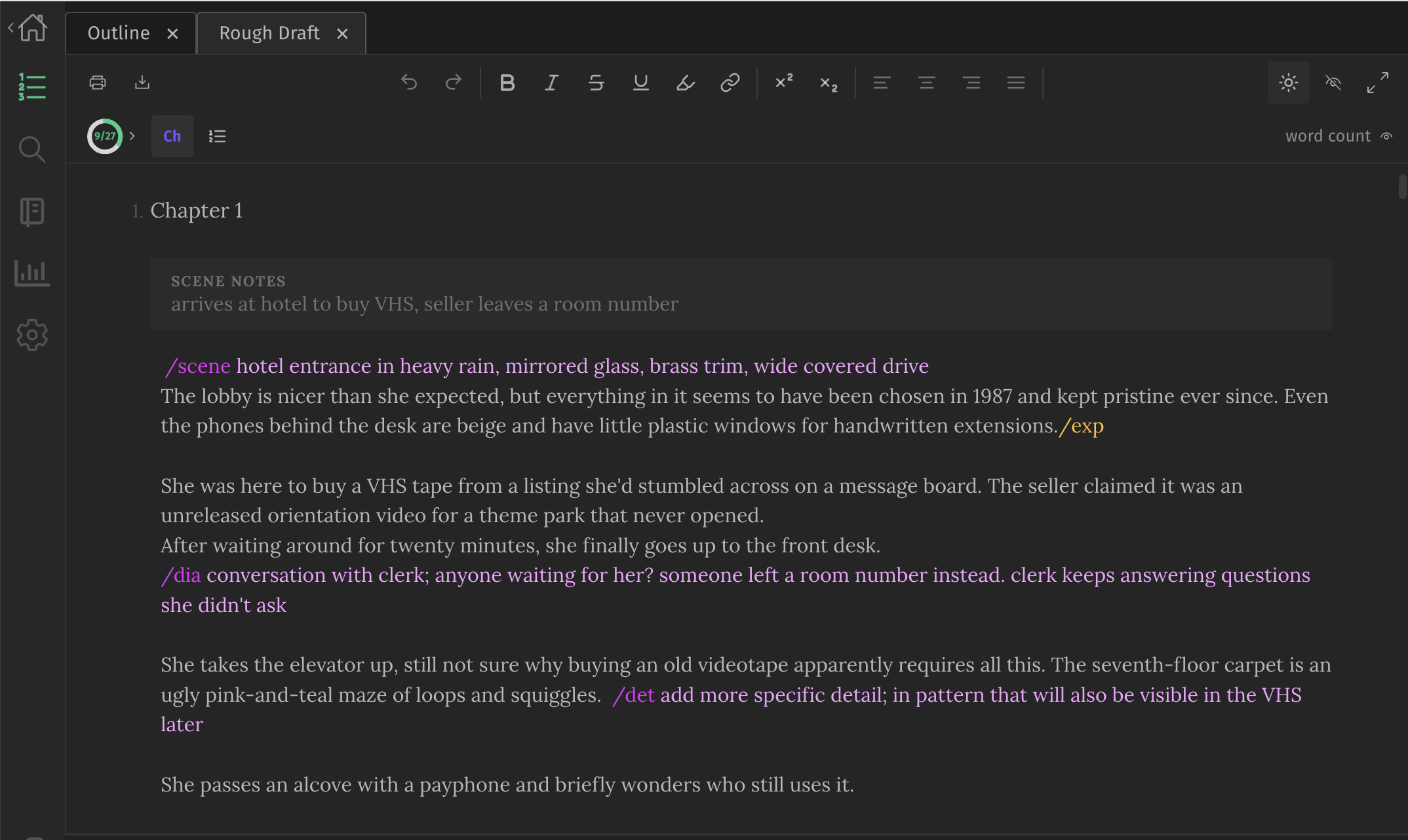
Placeholders make it easier to get all your ideas down into the rough draft without getting stuck on details.
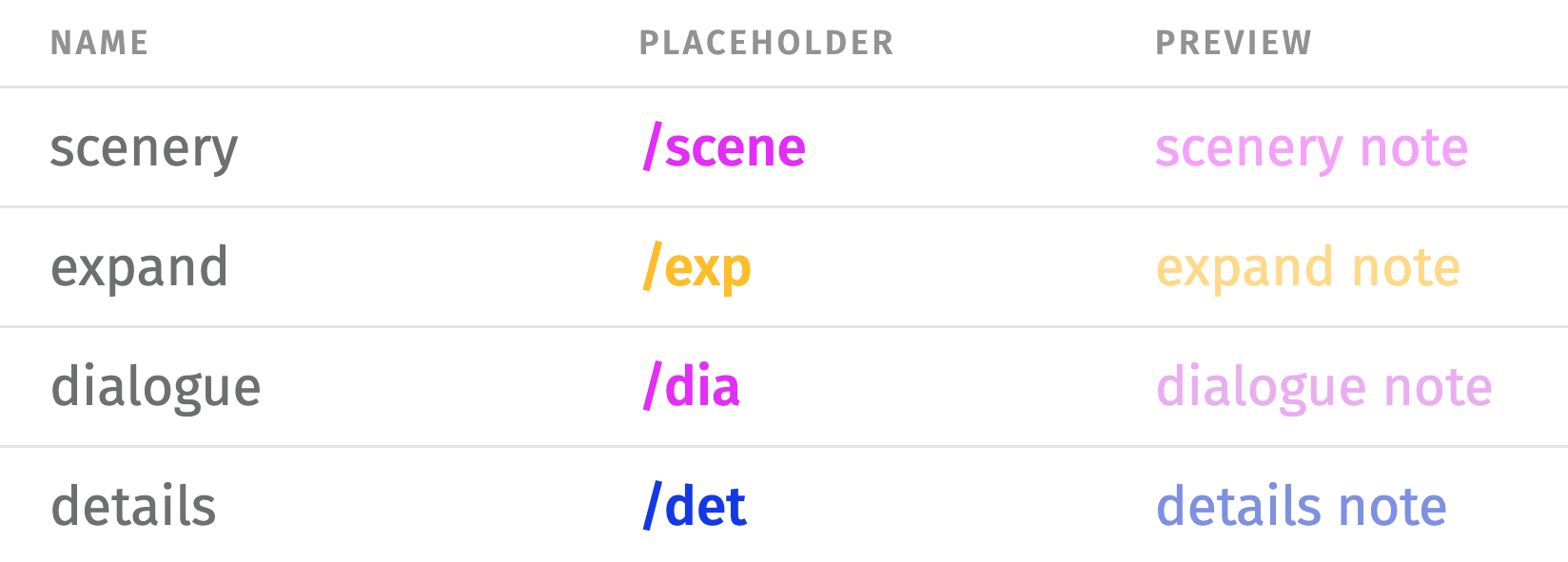
There are 24 built in – for things like dialogue, details, and scenery – so you can leave a quick marker with a short note on what to add later without breaking your writing flow.
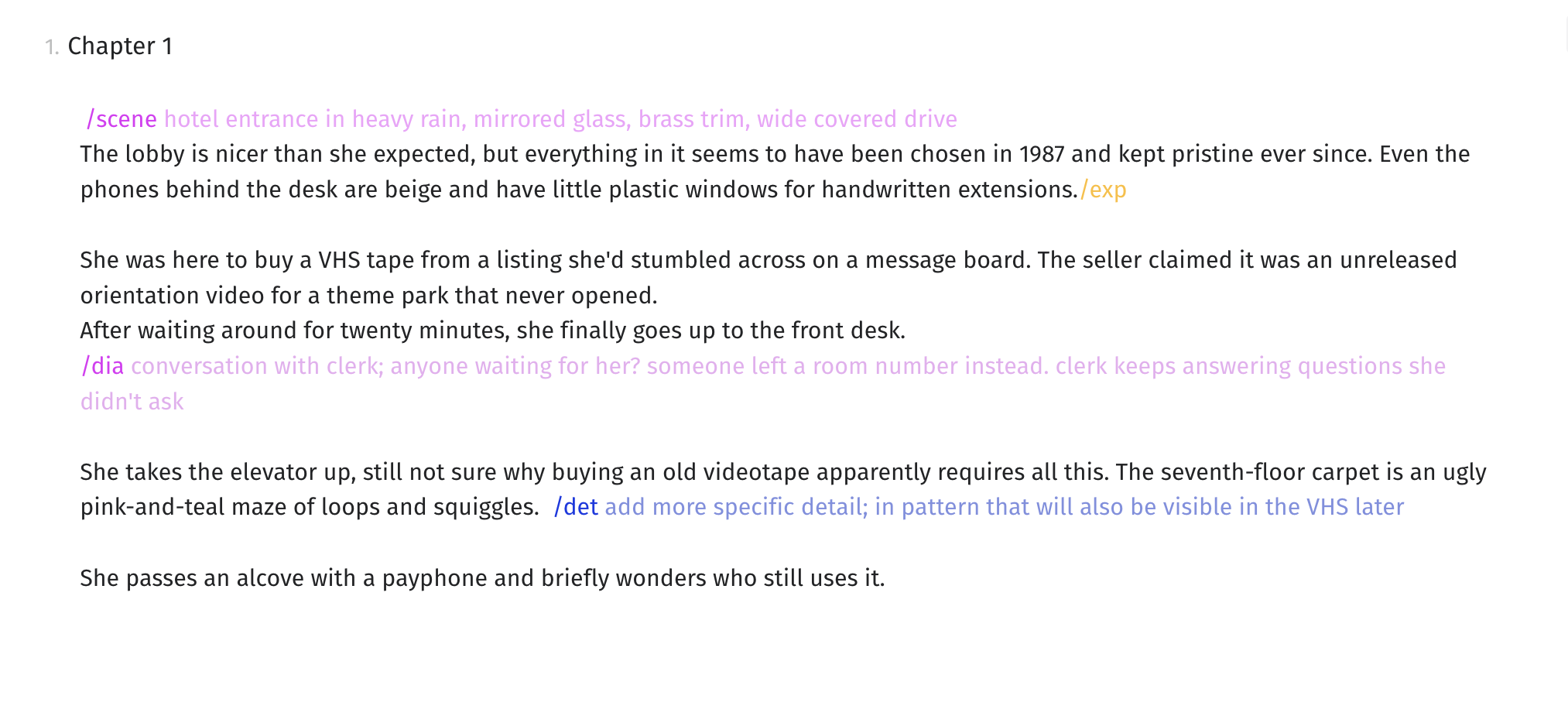
Placeholders are displayed in the editor with colored text, making them easier to find and fill in during the editing phase. They can each be customized, or you can create your own.
03Structured Writing Steps
The drafting steps give you a structured framework to build and develop your draft in stages.
They were designed to keep writing and editing separate, to give you the freedom to let loose in the creative stages and quiet your inner editor until the dedicated editing passes.
The steps can then be repeated to expand and improve your draft through multiple passes.
Organize your novel into chapters and scenes, and summarize the key points for each one.
Use the built-in options, or create and customize as many placeholders as you need for your writing style.
Build on your outline, using placeholders to capture unfinished thoughts instead of interrupting your flow.
Revisit and fill in your placeholders, using a dedicated editing pass for each one in your draft.
Review instances of common writing habits, like passive voice and weak adverbs, that could be improved in your draft.
/scene hotel entrance in heavy rain, mirrored glass, brass trim
/exp
/dia conversation with clerk; someone left a room number instead
/char show some of her personality by how she reacts
/det add more specific detail; a pattern that shows up again later
2.
Chapter 2
/dia
04Progress Tracking
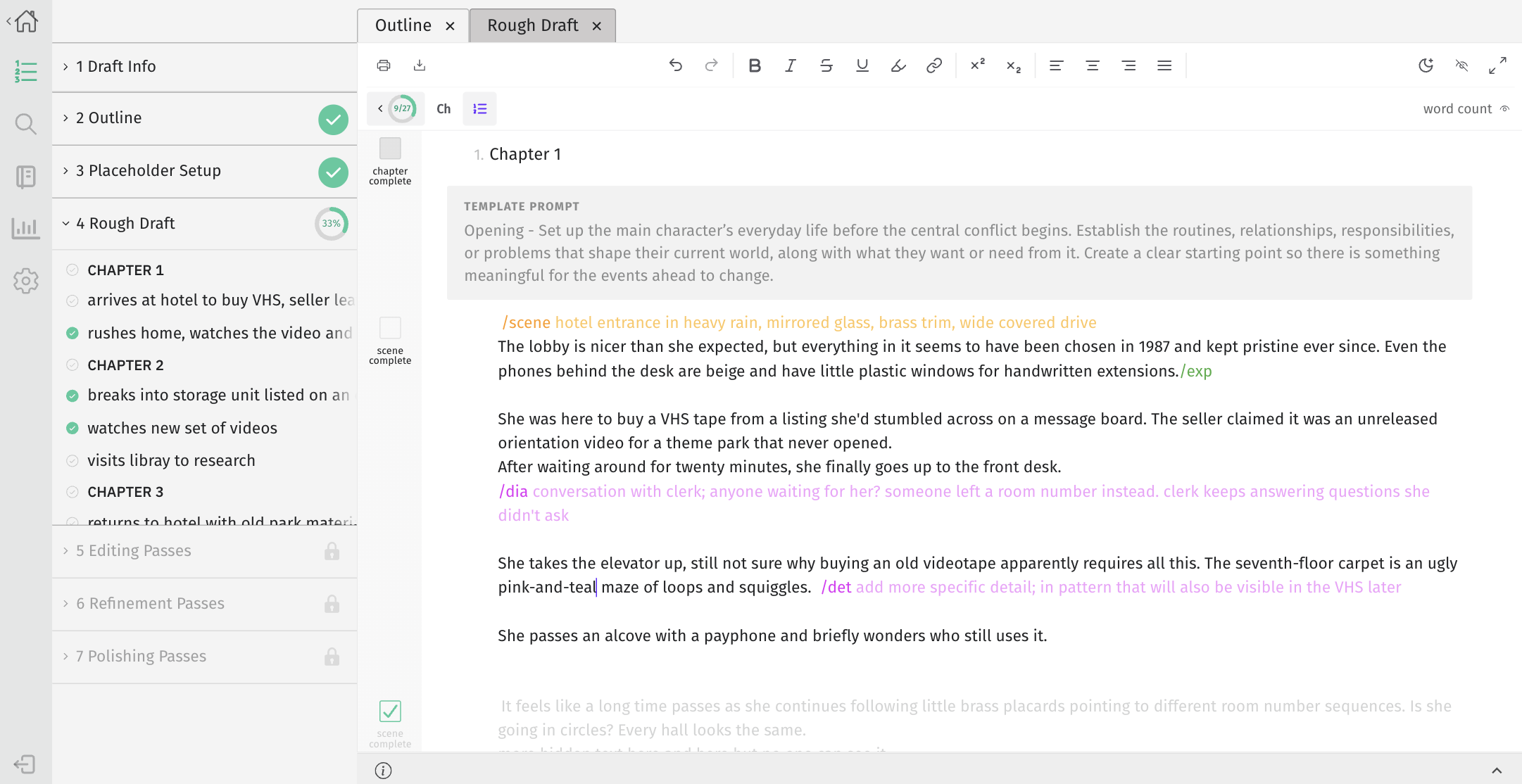
Individual scenes and chapters can be checked off as you write. Completed sections are dimmed in the editor, making it easier to find writing that still needs work.
Progress is also calculated and tracked across the drafting steps, giving you a good idea of how much writing or editing you have left at each stage.
1 Draft Info
2 Outline
3 Placeholder Setup
4 Rough Draft
Chapter 1
Chapter 2
Chapter 3
5 Editing Passes
6 Refinement Passes
7 Polishing Passes
chapter complete
1.
Chapter 1
scene complete
1.
scene complete
2.
scene complete
3.
chapter complete
2.
Chapter 2
scene complete
1.
scene complete
2.
scene complete
3.
chapter complete
3.
Chapter 3
scene complete
1.
scene complete
2.
scene complete
3.
chapter complete
4.
Chapter 4
scene complete
1.
scene complete
2.
scene complete
3.
Additional built-in tools and features
Notes
Create notes for anything you need alongside your writing.
Assign a note to a specific draft, or set it as universal to access it from any project.
Each note can contain up to 100,000 words – so you can use them for quickly jotting down random ideas, or getting everything recorded during long brainstorming sessions.
Stats, Goals & Achievements
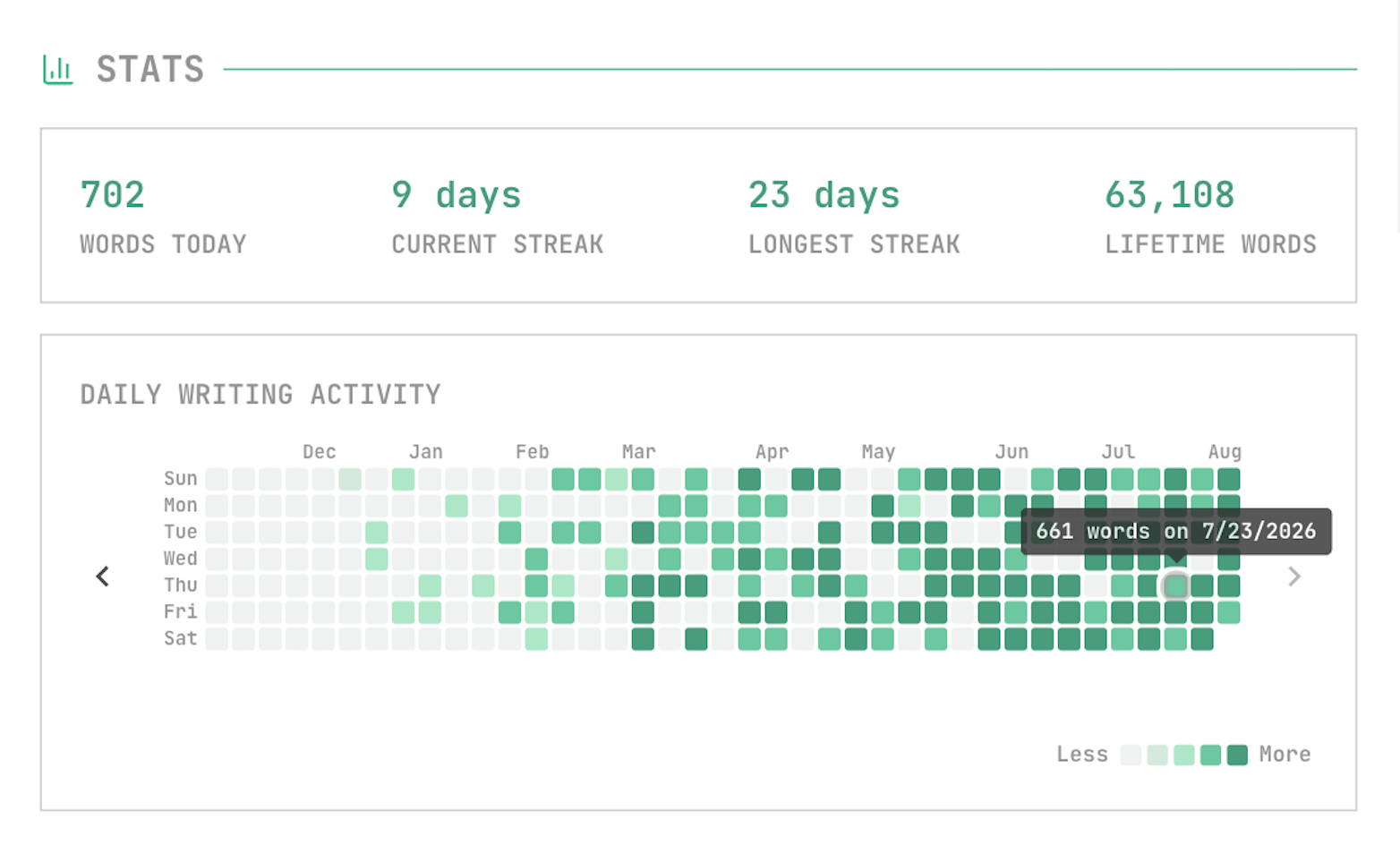
Stats
Track daily word count, current writing streak, and overall writing activity
Goals
Set goals for activities like daily word count, writing streaks, and completing a draft by a certain date
Achievements
Earn badges for completed goals, streaks, draft progress, and more
Customizable Editor
Themes & Dark Mode
Switch between light and dark mode
Fine-tune the editor’s color scheme with alternate themes
Text & Layout
Change the font and text size
Adjust character, word, and line spacing
Simplify the editor interface or open in full screen